

Smartwatches have become much more than just gadgets that monitor your fitness and show notifications. They are now enabling users to make calls, pay, and chat through messaging apps, which makes communication easier than ever. As a Telegram user, you might be curious about whether you can get to your chats on your smartwatch.
The good news is you can. But the experience will be different given whether you have an Apple Watch, Samsung Galaxy Watch, or Google Pixel Watch. Besides getting message alerts and replying with short messages, you can also use Telegram on wearable devices in many other ways such as logging in through Telegram QR code on the watch.
Here, we are going to cover everything about setting up your smartwatch, which models are compatible with Telegram, what features are available to you on the Telegram Apple Watch app, and the expected Wear OS support in 2026.
Does Telegram Work On Smartwatches?
Yes, Telegram works on smartwatches, but the available features vary depending on the operating system. Generally, smartwatch users can:
- Receive Telegram notifications
- Read incoming messages
- Send quick replies
- Use voice dictation
- View message previews
- Access selected conversations
- Manage alerts and notifications
However, Apple Watch and Wear OS handle Telegram differently. Apple Watch focuses primarily on notification-based interaction through the iPhone ecosystem, while Wear OS devices offer greater flexibility and, in some cases, more advanced messaging capabilities. Let’s look at both platforms individually.
Using Telegram On Apple Watch
Apple Watch remains one of the most popular smartwatches in the United States, thanks to its seamless integration with the iPhone ecosystem. Many users search for a Telegram Apple Watch app expecting a standalone application similar to Telegram on smartphones.
While smartwatch support has changed over the years, Apple Watch users can still enjoy a smooth Telegram experience through notifications and companion functionality.
How To Set Up Telegram On Apple Watch?
The setup process takes only a few minutes.
Step 1: Install Telegram on Your iPhone
Before anything else, ensure Telegram is installed on your iPhone and logged into your account. Also, verify that:
- Notifications are enabled
- Background App Refresh is turned on
- Telegram is updated to the latest version
These settings ensure your watch receives notifications properly.
Step 2: Enable Telegram Notifications
Open the Watch app on your iPhone and navigate to:
Watch App → Notifications
Scroll through the list of installed applications until you find Telegram. Enable notification mirroring for Telegram. This allows your Apple Watch to display Telegram alerts whenever your iPhone receives a message.
Step 3: Test the Connection
Ask a friend or family member to send you a Telegram message. If everything is configured correctly, your watch should immediately display:
- Sender information
- Message preview
- Quick reply options
- Emoji reactions
At this point, Telegram notifications on Apple Watch should be functioning normally.
What Can You Actually Do With Telegram On Apple Watch?
Many users assume smartwatch messaging means typing long conversations from a tiny screen. In reality, most people use Telegram on Apple Watch for quick interactions. You can:
Read Incoming Messages
Message previews appear directly on the watch display, allowing you to stay informed without opening your phone.
Reply Using Voice Dictation
Voice dictation is one of the most useful smartwatch features. Simply tap Reply and speak naturally. The watch converts your speech into text and sends it through Telegram.
Send Quick Responses
Apple Watch supports predefined responses such as:
- Sounds good
- On my way
- Thanks
- Talk later
These replies are perfect for complicated situations.
React With Emojis
For casual conversations, emoji responses often eliminate the need to type altogether.
Benefits Of Telegram Notifications On Apple Watch
Many users discover that Telegram becomes more convenient once notifications are available on their wrist. Some key advantages include:
- Reduced Phone Usage: You can quickly check whether a message requires immediate attention without unlocking your phone.
- Faster Communication: Quick replies allow you to respond in seconds.
- Better Productivity: Work-related updates remain accessible during meetings and travel.
- Improved Convenience: Whether you’re exercising, commuting, or cooking, Telegram messages remain within reach.
Why Wear OS Offers A More Flexible Telegram Experience?
While Apple Watch excels at notification handling, Wear OS devices often provide greater flexibility. Wear OS powers several popular smartwatches, including:
- Samsung Galaxy Watch
- Google Pixel Watch
- OnePlus Watch
- Xiaomi Watch 2 Pro
- TicWatch models
Because Wear OS is closely integrated with Android, users often gain access to additional Telegram functionality.
Telegram Galaxy Watch Setup Guide
Samsung Galaxy Watch owners frequently search for Telegram Galaxy Watch setup instructions because Wear OS supports multiple methods of accessing Telegram. Follow these steps:
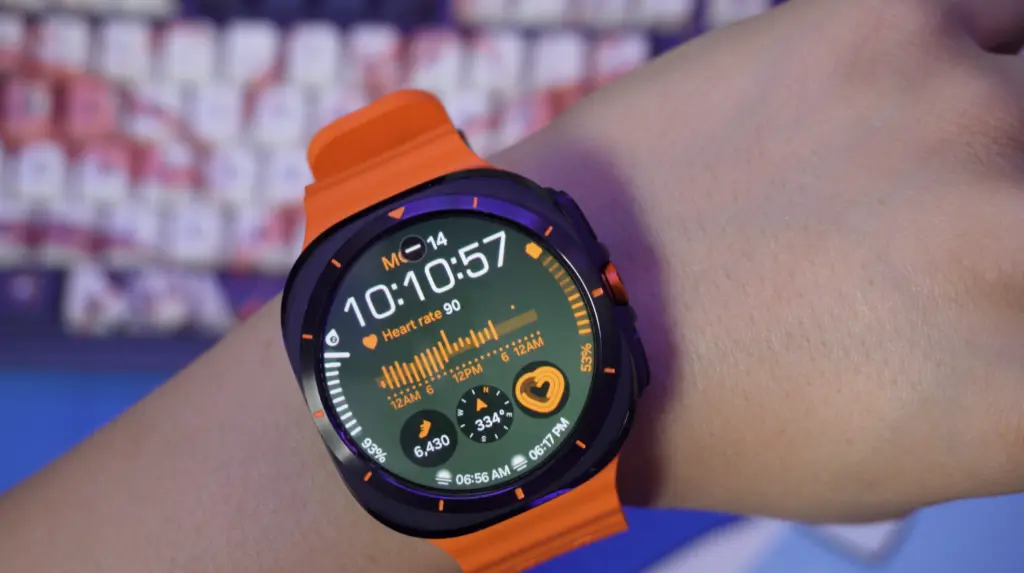
Step 1: Update Your Galaxy Watch
Install the latest Wear OS updates. Software updates often improve notification reliability and compatibility.
Step 2: Pair Your Watch
Use the Galaxy Wearable app to connect your watch to your Android smartphone. Ensure Bluetooth remains enabled.
Step 3: Enable Telegram Notifications
Open Galaxy Wearable and navigate to: Notifications → App Notifications. Locate Telegram and enable notification access.
Step 4: Enable Interactive Actions
Turn on:
- Voice replies
- Smart responses
- Message actions
These features allow you to interact with messages directly from your wrist.
Step 5: Verify Everything Works
Send yourself a Telegram message and confirm that alerts appear on the watch.
Telegram Pixel Watch App Setup
The Google Pixel Watch has become one of the most popular Wear OS devices in recent years. Users often search for a Telegram Pixel Watch app because Google’s wearable ecosystem supports a variety of messaging experiences. To get started:
- Connect your Pixel Watch to your Android phone.
- Update Wear OS.
- Enable Telegram notifications.
- Install compatible Telegram applications if available.
- Grant all necessary permissions.
Depending on software support and updates, some users may access more advanced messaging features than those available on Apple Watch.
Using Telegram Without Taking Out Your Phone
One of the biggest reasons people install Telegram on a smartwatch is convenience. Here are some common real-world situations where smartwatch access proves useful:
- During Meetings: Quickly glance at important messages without appearing distracted.
- While Exercising: Receive urgent notifications without interrupting your workout.
- During Travel: Check directions, confirmation codes, and important messages while on the move.
- While Driving: Voice-based replies allow hands-free communication when appropriate and safe.
- While Working: Monitor team chats and project updates without repeatedly checking your phone.
For most users, these practical benefits matter far more than having a fully featured messaging interface.
Understanding Telegram QR Code Login Watch Methods
Many smartwatch users search for Telegram QR code login solutions for their watches because entering credentials on a wearable device is inconvenient. QR-based authentication solves this problem.
How Does It work?
When supported by an app or client:
- Open Telegram on the watch.
- A QR code appears.
- Open Telegram on your smartphone.
- Scan the code.
- Confirm authorization.
Within seconds, the watch gains access to your account. This method is faster, more secure, and significantly easier than manually entering login credentials on a smartwatch screen.
Native Telegram Watch App 2026: What Is the Current Situation?
The phrase Native Telegram watch app 2026 has become increasingly popular as smartwatch hardware continues to improve. Users want:
- Standalone messaging
- Full conversation access
- Voice messaging
- LTE support
- Independent operation
While smartwatch capabilities continue to expand, Telegram’s wearable experience still depends on platform limitations and app availability. The good news is that modern smartwatches are more powerful than ever. Today’s devices feature:
- Faster processors
- Better battery life
- LTE connectivity
- Advanced microphones
- Larger displays
As wearable technology evolves, users can reasonably expect Telegram support to become more capable and feature-rich.
Common Telegram Smartwatch Problems and Fixes
Even after setup, occasional issues can occur.
Notifications Are Not Appearing
Check the following:
- Bluetooth connection
- Internet connectivity
- Notification permissions
- Battery-saving restrictions
Restart both the phone and the smartwatch if necessary.
Messages Arrive Late
Delayed notifications are usually caused by:
- Power-saving modes
- Background restrictions
- Poor network connectivity
Allow Telegram to run in the background whenever possible.
Unable to Send Replies
Ensure that:
- Microphone permissions are enabled
- Voice dictation is active
- Telegram notifications support actions
Updating both Telegram and smartwatch software often resolves reply-related issues.
QR Code Login Is Not Working
If you’re using a Telegram QR code login watch method:
- Update Telegram
- Reconnect the watch
- Refresh the QR code
- Improve lighting conditions when scanning
These simple fixes resolve most authentication problems.
Apple Watch vs Wear OS: Which Is Better For Telegram?
Here’s a quick comparison.
| Feature | Apple Watch | Wear OS |
| Message Notifications | Excellent | Excellent |
| Voice Replies | Yes | Yes |
| Quick Responses | Yes | Yes |
| App Flexibility | Moderate | High |
| Standalone Potential | Limited | Better |
| QR Login Support | Varies | More Common |
| Advanced Messaging Features | Limited | Stronger |
If your primary goal is receiving messages and sending quick replies, Apple Watch performs exceptionally well. However, users looking for deeper Telegram functionality often prefer Wear OS devices such as the Galaxy Watch or Pixel Watch.
Frequently Asked Questions
Ans. Apple Watch users primarily interact with Telegram through notifications and companion functionality connected to their iPhone.
Ans. Yes. A proper Telegram Galaxy Watch setup allows users to receive notifications, send replies, and interact with messages directly from the watch.
Ans. Yes. The Telegram Pixel Watch app experience depends on available applications, Wear OS support, and notification integration.
Ans. When supported, Telegram QR code login watch functionality allows users to authenticate quickly by scanning a QR code from their smartphone.
Ans. Some LTE-enabled Wear OS watches offer limited standalone capabilities, though functionality varies depending on app support and device configuration.
Final Thoughts
Telegram is still one of the favorite messaging apps, and users really appreciate the addition of smartwatch compatibility, as it comes in handy when they are on the go. No matter whether you get Telegram notifications on your Apple Watch, you install Telegram on a Galaxy Watch, or you decide to try the Telegram Pixel Watch app, it is now simpler than ever to keep in touch through the wrist.
Apple Watch not only fully supports notification integration but also offers more freedom through its customization and features. What is more, Telegram’s wearable experience will still benefit from technological progress in smartwatches, and users will still have more possibilities to handle messages without being dependent on the phone.







Leave feedback about this