

So you’ve decided to build a website, and everyone keeps pointing you toward Squarespace. Honestly, it’s easy to see why. As a beginner-friendly platform, it’s become the go-to for people who want a site that looks like a designer touched it, minus the designer’s invoice.
This Squarespace review is written for total newcomers in the USA, so we’ll skip the jargon and keep it real. Here’s the plan. We’ll talk about what Squarespace offers, where it can frustrate you, what you’ll actually pay in 2026, and who it’s genuinely built for. By the end, you’ll know the answer to the question probably coming to your mind right now: Is Squarespace worth it for your very first site?
What Is Squarespace?
Imagine a website that can be built all at once; a place where everything is handled, and nothing needs to be revisited? That’s the power of Squarespace website builder. It’s a one-stop shop, where you pick a template, insert copy and images, then publish.
All the hard work has been done for you, the hosting, the security, and the continuous updating. Many of the original users were photographers and designers, and now you can use the site to build blogs, photo shows, online shops, pubs to book tables, and anything else you want. You can make a Squarespace site with just a single click.
Squarespace Features
The Squarespace features that beginners end up loving are the ones that do the hard work so you don’t have to:
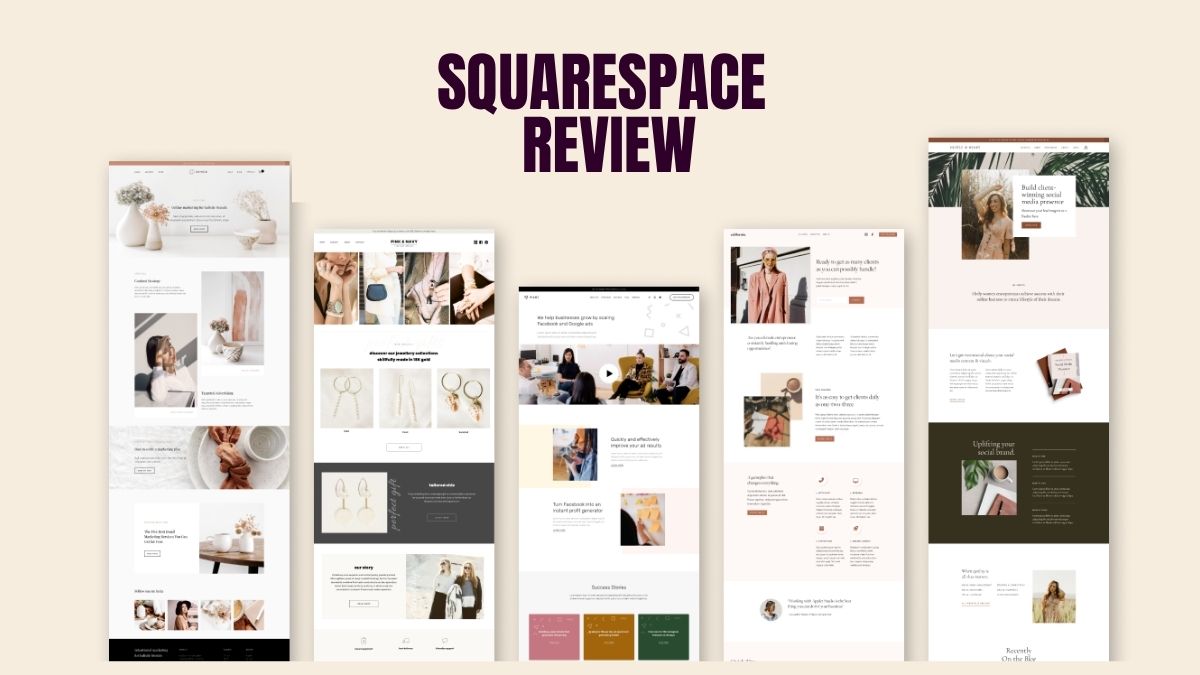
- Award-winning templates: Gorgeous, mobile-ready designs you can make your own in minutes.
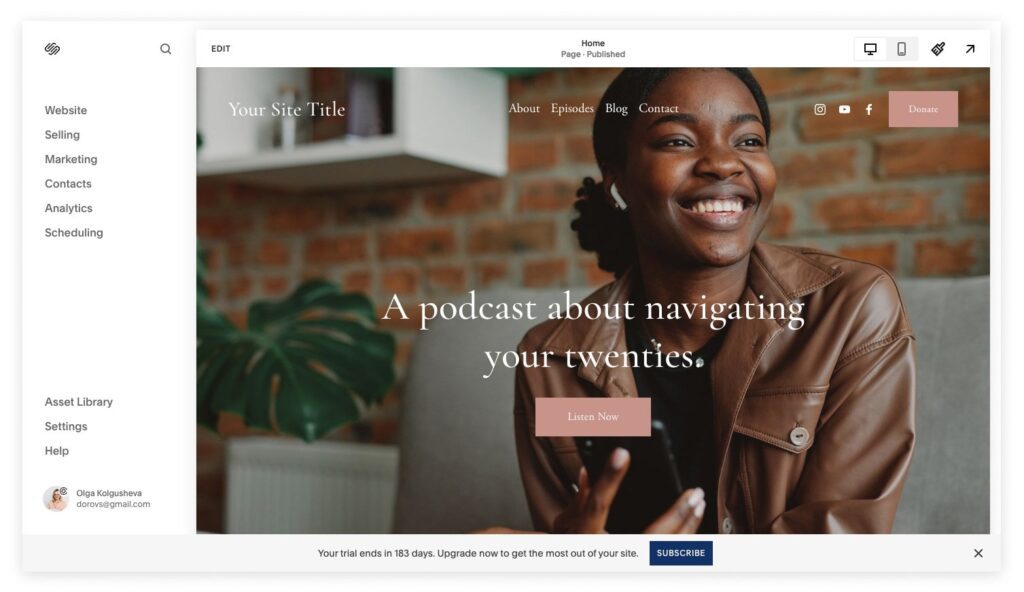
- Drag-and-drop editor: Nudge text, images, and whole sections around with a few clicks.
- Blueprint AI: Answer a handful of questions and get a starter site to build on.
- Built-in blogging: Genuinely good tools for writing posts and growing a following.
- E-commerce: Sell products, digital downloads, services, and even memberships.
- SEO and analytics: Search settings and visitor stats come baked right in.
- Scheduling and email: Handy add-ons like Acuity Scheduling and Google Workspace.
Best of all, you can watch your changes happen live before anything goes public. And because it’s all under one roof, you’re not duct-taping five different tools together just to get off the ground.
Squarespace Pricing in 2026
Heads up: Squarespace pricing got a refresh in 2026, so if you stumble across older plan names online, they’re out of date. Today, there are four tiers, and every one of them is friendlier on the wallet when you pay yearly:
- Basic: $16 a month (billed annually). Perfect for simple sites, portfolios, and blogs.
- Core: $23 a month. Adds custom code, deeper analytics, and zero transaction fees.
- Plus: $39 a month. Lower fees and beefier ecommerce tools for stores that are scaling up.
- Advanced: $99 a month. Strips out commerce fees and unlocks the heaviest-duty selling features.
There is no forever-free option, though you receive a 14-day free trial as well as a free custom domain for your first year only on annual plans. Additional costs like professional email from the second year onwards and domain renewal can be added later.
However, Squarespace is totally transparent about these items, so you won’t be surprised by any of them. Basic or Core is probably the right choice for most newbies, and changing to a higher level later is very easy.
Squarespace Pros and Cons
No tool is perfect, so let’s lay out the Squarespace pros and cons with zero sugar-coating.
The good stuff:
- Templates that look polished the second you open them.
- A true all-in-one setup, with hosting, security, and support included.
- Editing is so simple you’ll never bump into a line of code.
- Strong blogging and capable e-commerce living in the same plan.
- Around-the-clock help by email and live chat.
- Designs that automatically look sharp on phones and tablets.
The trade-offs:
- No free plan, so you’ll commit to a paid tier once the trial ends.
- Want a different template down the road? You’ll mostly be rebuilding your pages.
- Fewer third-party apps than some open platforms offer.
- The entry plan tacks a small fee onto each sale.
- No phone line, though live chat is quick to answer.
- Fancier design tweaks take a little practice to get right.
For most beginners, the wins easily outweigh the niggles, especially if good looks and a stress-free setup are high on your list.
Who Should Use Squarespace?
Squarespace is a platform that is almost a perfect fit for artists and small business owners who want something amazing-looking without having to deal with technology. Photographers, artists, writers, coaches, consultants, and restaurants all do very well here because the templates are so heavily focused on design.
It is also a fantastic option for small shops and service providers who want to take bookings or sell a few products without having to deal with plugins. So where might it be a problem? If you fantasize about a highly custom, code-heavy build, or you want to add dozens of niche apps, a developer-focused platform will offer you more freedom to experiment.
But for a newbie who values speed, simplicity, and a polished, professional look, Squarespace is a real winner. And the moment you outgrow your starter plan, upgrading is a matter of seconds, and all your content remains right where it is.
Frequently Asked Questions
Ans. Very much so. The editor just makes sense, the templates handle the design heavy lifting, and you can have a site live by dinnertime with no tech skills at all.
Ans. Not a permanent one, but the 14-day free trial needs no credit card, so you can build and preview everything before paying a cent.
Ans. Yep. Every plan includes e-commerce, whether you’re selling physical goods, downloads, services, or subscriptions.
Ans. They’re both solid. Squarespace wins on polished design and a cleaner feel, while Wix throws in a free tier and more apps. It really comes down to what matters most to you.
Final Verdict
If you’re a beginner who wants a gorgeous, low-fuss website, this Squarespace review happily gives it a thumbs up. You’re getting designer-grade templates, an editor anyone can figure out, dependable support, and built-in selling tools, all without cobbling together a pile of separate services. Sure, there’s no free plan and the odd fee here and there, but those feel tiny next to how fast you can launch something you’re genuinely proud of. Grab the free trial, pick Basic or Core, and you’ll be online and looking professional before you know it.





Leave feedback about this