

Artificial intelligence in 2026 isn’t just a trend – it’s infrastructure. From how Americans search on Google to how creators produce content and businesses automate workflows, AI has quietly become the backbone of digital productivity.
At the center of this shift are Google AI tools 2026, a rapidly expanding ecosystem that includes advanced models like Gemini 3.1 Pro, creative tools like Nano Banana 2 for images, and Lyria 3 for music generation.
Unlike standalone AI platforms, Google’s strength lies in integration. Whether you’re drafting emails in Gmail, researching in Chrome, or creating content for YouTube, Google’s AI is already embedded into the tools you use every day.
This guide breaks down every major Google AI tool in 2026, compares them with competitors, and helps you decide what’s actually worth your time (and money).
- 1. Gemini (Free)
- 2. Gemini 3.1 Pro
- 3. Gemini Ultra
- 4. Nano Banana 2
- 5. Lyria 3
- 6. Gemini vs ChatGPT
- 7. NotebookLM
- 8. Google AI Mode
- 9. Gemini in Chrome
- 10. How AI Is Changing
- 11. FAQ
- 12. Conclusion
Every Major Google AI Tool in 2026
Before diving deep, here’s a clear snapshot of the best Google AI tools and what they’re built for:
| Tool Name | Key Features | Free or Paid | Best For |
| Gemini (Free) | Chat, writing, search assistance | Free | Students, casual users |
| Gemini 3.1 Pro | Advanced reasoning, coding, and long context | Paid | Professionals, writers, developers |
| Gemini Ultra | Full multimodal AI + deep integration | Paid (Premium) | Enterprises, heavy users |
| Nano Banana 2 | AI image generation + editing | Free + credits | Designers, marketers |
| Lyria 3 | AI music creation | Free (limited) | YouTubers, creators |
| NotebookLM | AI research assistant | Free | Students, analysts |
| Google AI Mode | AI-powered search results | Free | Everyday browsing |
| Gemini in Chrome | Built-in AI assistant | Paid Upgrade | Productivity users |
Google Gemini in 2026: What’s New and Is It Worth It?
Google Gemini in 2026 feels less like a chatbot and more like a digital co-worker. It’s no longer limited to answering questions. It actively helps you complete tasks. The biggest change? Context.
Gemini now understands what you’re doing across tools. If you’re working on a Google Doc, it can suggest edits. If you’re browsing in Chrome, it can summarize pages. If you’re replying to emails, you can draft responses that actually sound like you.
For US users, especially remote workers, freelancers, and small business owners, this level of integration is a game-changer. Instead of juggling multiple tools, everything happens in one ecosystem.
Gemini 3.1 Pro (What Makes It Different From Regular Gemini)
Gemini 3.1 Pro is where things get serious. The standard version of Gemini works well for everyday tasks, including quick searches, short writing, and casual queries. Gemini 3.1 Pro features make it incredibly strong, and it’s built for depth and complexity.
It handles:
- Long-form content (think 2,000–3,000-word articles)
- Multi-step reasoning (financial analysis, research synthesis)
- Code generation and debugging
- Real-time data-backed answers
Let’s make this practical. If you’re a content writer in the US working on a competitive niche, such as personal finance or health, you can:
- Analyze top-ranking articles
- Identify content gaps
- Generate outlines aligned with search intent
- Draft and refine full-length posts
Gemini 3.1 Pro can review entire codebases, not just snippets, making it useful for real-world applications, not just experiments.
The difference isn’t just performance. You can see it is reliable. You’ll spend less time correcting outputs and more time refining them.
Google AI Free vs AI Pro vs AI Ultra (Which Plan Should You Choose?)
Google’s pricing tiers are designed to match different user levels.
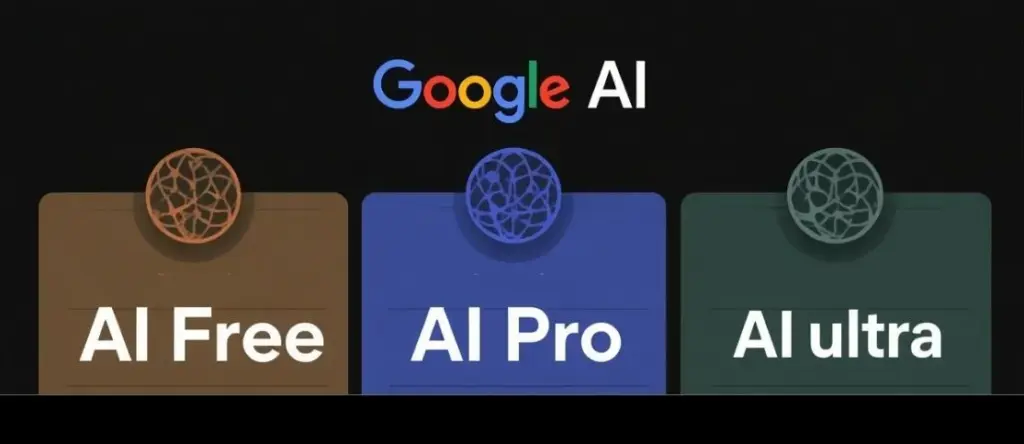
Free Plan:
This is your entry point. It gives you access to basic Gemini features and limited usage. It’s perfect if you’re just experimenting or using AI occasionally.
AI Pro Plan:
This is where most people should land. It unlocks:
- Gemini 3.1 Pro
- Faster responses
- Higher usage limits
For US freelancers, whether you’re writing blogs, managing social media, or running a small business, this plan pays for itself quickly in saved time.
AI Ultra Plan:
This is built for heavy users and teams. You get:
- Advanced multimodal capabilities (text, image, audio, video)
- Deep integration across Google Workspace
- Priority access and higher limits
Agencies, startups, and enterprise teams benefit the most here.
Bottom line: If you’re serious about productivity, Pro is the sweet spot. Ultra only makes sense if AI is central to your daily operations.
Gemini Personal Intelligence: What It Is and Should You Enable It?
Personal Intelligence is Google’s way of making AI feel personal. Once enabled, Gemini starts learning:
- Your writing tone
- Your workflow habits
- Your preferences across tools
For example: If you typically write professional emails, Gemini will mirror that tone. If you prefer short, punchy content, it adapts accordingly. But this comes with a trade-off: data access. For US users, especially those concerned about privacy, this is worth considering.
Should You Enable It?
- Yes, if you want maximum efficiency and personalization
- No (or limited), if you handle sensitive data
A balanced approach is to enable it but review permissions regularly.
Nano Banana 2: Google’s New AI Image Generator Explained
AI image generation has become a core part of content creation in 2026, and Google’s latest model, Nano Banana 2, is its most serious push into this space yet.
Unlike earlier tools that required separate platforms or complex workflows, the Nano Banana 2 image generation tool is built directly into Google Gemini. That means you can generate, edit, and refine images in the same place where you’re writing content or doing research.
For creators, marketers, and small business owners in the US, this level of integration makes a noticeable difference. It removes friction and speeds up the entire creative process.
What Is Nano Banana 2 and How Does It Work?
Nano Banana 2 is an advanced AI image generator that uses diffusion models to turn text prompts into detailed visuals. In simple terms, you describe what you want, and the AI builds it for you.
- Style (minimalist, cinematic, realistic, etc.)
- Lighting (natural light, studio, sunset tones)
- Setting (New York apartment, California beach, office setup)
- Purpose (social media post, ad creative, website banner)
For example, Instead of just typing “living room,” you could write: “Modern living room in a San Francisco apartment, warm lighting, minimal design, aesthetic for Instagram”. The result is far more refined and usable.
For US-based creators and businesses, this is especially valuable for:
- Social media content
- E-commerce product visuals
- Blog and website graphics
Nano Banana 2 vs Midjourney vs DALL-E 3:
The AI image space is competitive, with tools like Midjourney and DALL-E 3 already widely used. Here’s how Nano Banana 2 fits in:
- Nano Banana 2: Best for ease of use and direct integration with Gemini
- Midjourney: Known for highly artistic and stylized outputs
- DALL-E 3: Balanced performance with strong prompt understanding
For most users, especially beginners, Nano Banana 2 feels more accessible. You don’t need to learn new interfaces or workflows, which makes it easier to start creating right away.
How to Use Nano Banana 2 for Free in 2026?
Google has made Nano Banana 2 fairly accessible, even on the free tier. You can use it through:
- Gemini (with limited daily usage)
- Google Labs experiments (in the US rollout)
- Select Android integrations
To get the best results, prompt quality matters a lot.
A simple tip is to be specific: The more details you include about style, mood, and purpose, the better the output.
For Example:
- Basic: “Coffee shop.”
- Better: “Cozy coffee shop in Seattle, warm lighting, wooden interior, aesthetic for Instagram.”
This small change can significantly improve the final image. Overall, Nano Banana 2 isn’t just another AI image tool. It’s designed to fit seamlessly into your workflow, making visual content creation faster and more accessible than ever.
Google Lyria 3: Create Free AI Music Directly in Gemini
AI-generated music has quickly moved from being a fun experiment to something genuinely useful, especially for content creators who need quick, affordable audio.
Google Lyria 3 music generator brings this capability directly into Gemini, which means you can generate music as easily as you write a prompt. This means no extra tools, no complex setup needed.
Instead of browsing stock music libraries or worrying about licensing, you can simply describe the kind of track you need and get usable audio within seconds.
What Can Lyria 3 Actually Create? (With Examples)
Lyria 3 is surprisingly versatile in what it can produce. It’s not limited to just basic tunes. Instead, it can handle a wide range of audio needs. It can create:
- Instrumental background tracks
- Full songs with vocals
- Podcast intros and outros
- Ad jingles and brand audio
The flexibility here is what makes it valuable.
For example:
- A YouTuber in Los Angeles can quickly generate chill vlog background music without worrying about copyright
- A startup can create short, catchy audio clips for ads or product launches
- A podcaster can generate intro music that fits their theme without hiring a composer
The output quality is strong enough for most digital platforms, making it a practical option for creators who need fast turnaround without compromising too much on sound.
Lyria 3 vs Suno vs Udio: Best Free AI Music Generator in 2026?
When compared to Suno and Udio, each tool has its own strengths.
- Lyria 3 stands out for its seamless integration and ease of use
- Suno is often better for generating full songs with more refined vocals
- Udio gives users more creative control and experimentation options
For most US creators, especially beginners or those working on tight schedules, Lyria 3 tends to be the easiest to adopt because it fits directly into an existing workflow.
6 Ways US Content Creators Are Using Lyria 3 Right Now
AI music is already becoming part of everyday content creation. Here’s how creators across the US are using Lyria 3:
- YouTube video background music
- TikTok and Instagram Reels audio
- Podcast intros and outros
- E-commerce product videos
- Freelance music gigs on platforms like Fiverr
- Personal branding and social media content
This shift is gradually reducing reliance on expensive royalty-free music platforms. Instead of paying monthly subscriptions or licensing fees, creators can generate custom tracks on demand faster, cheaper, and tailored to their exact needs.
Gemini vs ChatGPT in 2026: Which AI Should You Actually Use?
Gemini vs ChatGPT 2026 is easily one of the most common debates. With both Google Gemini and ChatGPT improving rapidly, choosing between them isn’t as simple as picking the “better” tool. It really depends on how you plan to use AI. The truth is, both are powerful in their own ways, but they shine in different areas.
Writing and Research: Gemini 3.1 Pro vs ChatGPT-4o (Side-by-side Comparison)
When it comes to performance, the differences become clearer based on the type of task.
Gemini 3.1 Pro is stronger in:
- Real-time research and up-to-date information
- Data-backed answers pulled from the web
- Seamless integration with Google tools like Docs, Gmail, and Sheets.
This makes it especially useful for tasks like market research, content analysis, and fact-checking, things that require accuracy and current data.
ChatGPT-4o is stronger in:
- Creative writing and storytelling
- Natural, conversational tone
- Delivering well-structured, easy-to-read outputs
It’s often the better choice when you need content that feels polished and human-like, whether it’s blog writing, scripts, or social media content.
In practice, many professionals in the US don’t rely on just one tool. A common workflow is using Gemini for gathering insights and research, then switching to ChatGPT to refine and present the final output.
Free Tier Comparison: Google Gemini Free vs ChatGPT Free
If you’re using the free versions, the experience is slightly different.
Gemini Free offers:
- More generous usage limits
- Direct integration with Google services
- Easier access to real-time information
ChatGPT Free offers:
- Better writing quality out of the box
- A smoother, more refined user experience
- Stronger conversational flow
So while Gemini gives you more flexibility and access, ChatGPT often feels more polished in how it delivers responses.
When to Use Gemini vs When to Use ChatGPT?
Instead of choosing one over the other, it’s more practical to use each tool where it performs best.
Use Gemini when:
- You need updated, real-time information
- You’re already working within Google tools
- Your task involves research, analysis, or data
Use ChatGPT when:
- You need engaging, human-like writing
- You’re brainstorming ideas or content angles
- You want structured, ready-to-use outputs
Simple takeaway: Gemini works like a strong research assistant, while ChatGPT feels more like a writing partner. Using both together often gives the best results.
Gemini in Chrome and Google AI Mode: The Future of Browsing
AI Mode is Google’s way of turning traditional search into something more interactive and efficient. Instead of scrolling through multiple links to find answers, you now get a more direct, conversational experience. Rather than just showing results, AI Mode:
- Summarizes key information from multiple sources
- Provides contextual insights based on your query
- Suggests follow-up questions to refine your search
This makes the entire process feel less like searching and more like asking and getting answers instantly. For US users, this is especially useful for everyday, high-intent queries like:
- Financial queries: Understanding credit cards, loans, or tax-related topics quickly
- Health information: Getting simplified explanations before consulting professionals
- Product comparisons: Evaluating options (like laptops, phones, or services) without opening multiple tabs
Overall, it reduces time spent searching and helps users make faster, more informed decisions.
Gemini in Chrome: Is It Worth Upgrading to AI Pro?
Gemini in Chrome takes things a step further by bringing AI directly into your browsing experience. Instead of switching between tabs or tools, you get an assistant that’s available while you work. With it, you can:
- Summarize long articles or reports in seconds
- Draft emails or replies based on the content you’re viewing
- Extract key insights from webpages without manually reading everything
This is particularly useful for professionals, students, and anyone who spends a significant part of their day online. If your work involves research, content consumption, or communication, having Gemini built into Chrome can noticeably improve productivity.
Verdict: If you spend several hours a day in your browser, as most remote workers and students in the US do, this feature alone can make the AI Pro plan feel worth it.
Google NotebookLM in 2026: Still the Best AI Research Tool?
NotebookLM remains one of Google’s most underrated tools, especially for users who deal with a lot of information on a daily basis. It allows you to:
- Upload documents
- Ask questions based on those documents
- Generate summaries and insights
What makes it stand out is that it works on your own data, which makes the responses more relevant and reliable compared to general AI tools. For students and professionals in the US, it’s incredibly useful for:
Academic research
Quickly understand long research papers, extract key arguments, and simplify complex topics without spending hours reading.
Report writing
Pull important points from multiple documents and organize them into structured, easy-to-use insights for presentations or reports.
Data analysis
Analyze text-heavy data like surveys, notes, or transcripts to identify patterns and key takeaways more efficiently.
It’s simple, focused, and highly practical, which is why it’s still considered one of the best free AI research tools available today.
How AI Is Changing Work and Business in 2026?
AI is steadily reshaping how work gets done across the US, not through massive disruption overnight, but through consistent improvements in everyday tasks. We’re seeing:
- Faster content creation
- Automated customer service
- AI-assisted coding
These changes are helping businesses move more quickly and operate more efficiently. Companies that are actively using AI tools are gaining a clear advantage:
- Lower costs by reducing manual work
- Higher efficiency across teams
- Faster output without compromising quality
Freelancers are benefiting just as much. With tools like Gemini and Lyria, individuals can now handle writing, design, and even audio creation on their own, work that previously required multiple people or agencies.
Overall, AI in 2026 is less about replacing jobs and more about amplifying productivity, making it easier for both businesses and individuals to do more in less time.
FAQ
Ans. Yes, many tools have free versions, but advanced features require paid plans.
Ans. It depends on your use case. Gemini is better for research, ChatGPT for creativity.
Ans. It’s used for generating images for marketing, design, and social media.
Ans. Yes, many creators use it for royalty-free background tracks.
Ans. For most users, the Google AI Pro Ultra plan offers the best balance of features and cost.
Conclusion
Google’s AI ecosystem in 2026 is no longer experimental. It’s practical, accessible, and deeply integrated into everyday workflows. From Gemini 3.1 Pro to Nano Banana 2 and Lyria 3, the company has built a toolkit that serves creators, professionals, and businesses alike.
If you’re in the US and already using Google products, adopting these tools isn’t just a good idea. It’s the logical next step. Start with the free versions, explore what fits your workflow, and upgrade only when you feel the need. Because in 2026, AI isn’t replacing work, it’s redefining how it gets done.





Leave feedback about this