

Apple has returned with a major update, and Apple iOS 26.4 is not just a maintenance patch. Along with new expressive emojis, an AI-driven music feature, and several unnoticed upgrades, this update will silently alter the daily feel of your iPhone.
iOS 26.4 has plenty to offer, whether you are just an average user or a tech geek. Here we will tell you about all the details, including iOS 26. 4 release date, compatibility, secret features, and the reason why US users are already looking forward to it.
What Is iOS 26.4?
The iOS 26.4 release date on March 24, 2026. This update is a part of Apple’s strategy to roll out incremental updates constantly. Each update brings in a couple of small but significant feature improvements combined with bug fixes.
On the other hand, major iOS versions often change the whole play of the game. iOS 26. 4 is more geared toward refining the user experience, rolling out AI features, and making small tweaks that result in a better iPhone experience on a day-to-day basis.
- How to Update Right Now?
- New Emojis in iOS 26.4
- AI Playlist Playground Feature
- AI Playlist Playground Works in Apple Music
- 10+ Hidden Features in iOS 26.4
- iOS 26.4 Performance & Bug Fixes
- Should You Update to iOS 26.4 Right Now?
- Final Thoughts
Supported Devices
This update is compatible with most modern iPhones, including:
- iPhone 15 series
- iPhone 14 series
- iPhone 13 series
- iPhone 12 series
- iPhone SE (2nd gen and later)
If your device currently runs iOS 26, updating to 26.4 is straightforward. Older gadgets like iPhone 11 and earlier may not support all the new features, especially AI-driven ones.
How to Update Right Now?
Updating to Apple iOS 26.4 is simple:
- Open Settings → General → Software Update
- Tap Download and Install
- Enter your passcode if prompted
- Let your device finish the installation
Pro tip: Ensure your iPhone is connected to Wi-Fi and has at least 50% battery. For large devices or heavy apps, a full backup via iCloud or Finder is recommended before updating.
New Emojis in iOS 26.4
Emoji lovers have plenty to celebrate. The new emojis in iOS 26.4 collection are extensive, designed to enhance self-expression across social platforms. Some highlights include:
- Shaking face emoji – perfect for “oops” or awkward moments
- Expanded family combinations – reflecting more inclusive households
- New animals and food icons – from mangoes to capybaras
- Updated gestures – more realistic hands and skin tone options
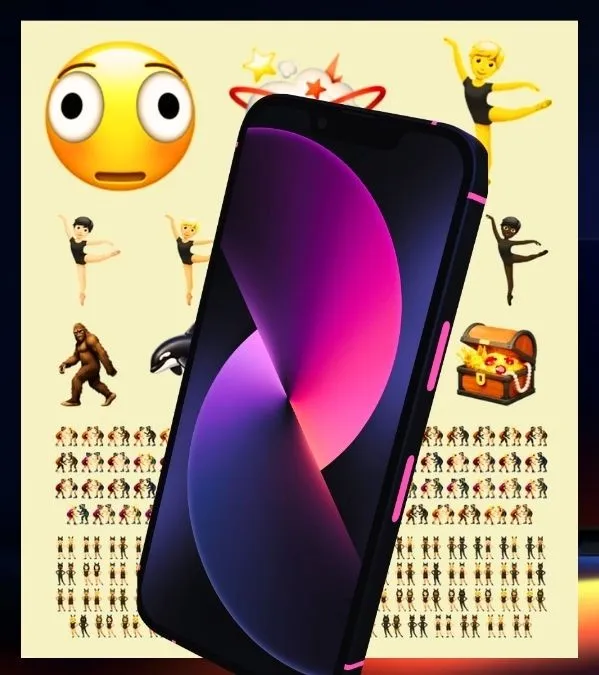
Apple’s subtle design changes have led to these emojis becoming more expressive, yet still being recognizable on different devices. When it comes to communicating on platforms like iMessage, WhatsApp, or Telegram, these changes offer you a wider variety of responses without the need to use GIFs or stickers.
A lot of US consumers are using these in their social media posts. Eventually, it is anticipated that these will be adopted by developers to make their apps more engaging.
AI Playlist Playground: Apple’s Coolest New Feature Explained
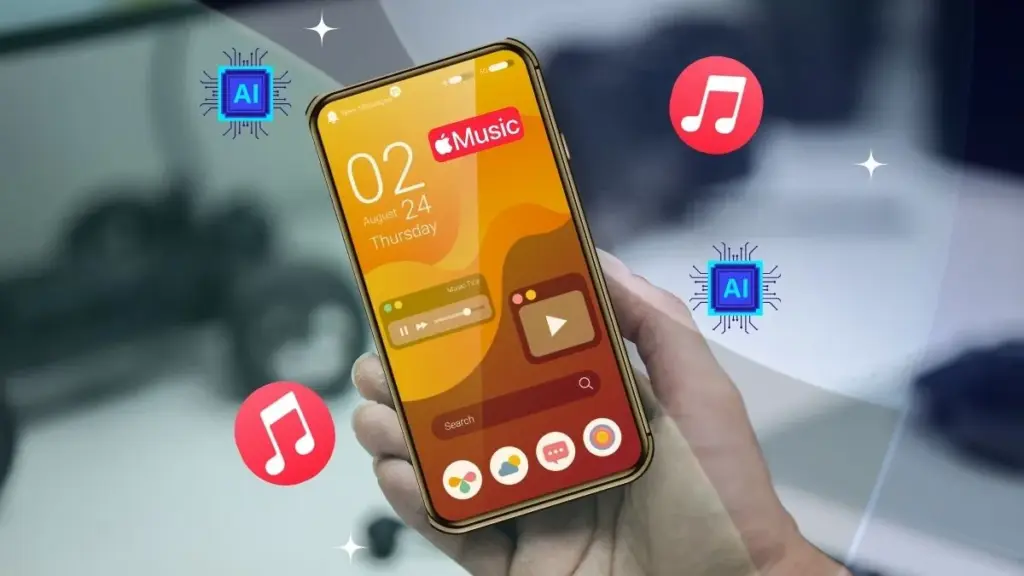
One of the most exciting additions in iOS 26.4’s new features is Apple Music’s AI Playlist Playground, a generative AI tool designed to revolutionize how we discover music.
What Is AI Playlist Playground?
AI Playlist Playground is essentially an AI-powered assistant inside Apple Music. Instead of manually curating playlists, users can describe a mood, activity, or vibe in natural language, and the AI generates a personalized playlist. For example:
- “Upbeat workout mix with pop and rock”
- “Rainy evening jazz vibes”
- “Chill focus music for studying at home”
The AI considers your listening history, preferred genres, and even the tempo of tracks to produce playlists that feel genuinely personalized.
How It Works in Apple Music?
To use it:
- Open Apple Music → Playlist section
- Tap Create Playlist with AI
- Enter a description or select a suggested mood
- Preview and save the playlist
You can even refine the playlist by swapping tracks, adjusting genre emphasis, or reshuffling for a new experience. Apple’s AI is designed to learn from your preferences over time, improving recommendations as you listen.
How US Users Can Access It?
The feature is gradually rolling out in the US. If you have iOS 26.4 installed:
- Ensure Apple Music is updated to the latest version
- Open the Playlist tab
- Look for “Create Playlist with AI”
Some users may need to wait a few days for full access due to Apple’s phased rollout.
Is It Free or an Apple Music Subscription Only?
Unfortunately, you need to have an active Apple Music subscription if you want to use AI Playlist Playground. People who don’t subscribe won’t be able to use this feature. On the other hand, subscribers get to create as many AI-generated playlists as they want without having to pay extra, which is definitely a good reason to choose Apple.
10+ Hidden Features in iOS 26.4 You Probably Missed
While AI Playlist Playground and new emojis get the headlines, iOS 26.4’s new features include many subtle upgrades that significantly improve daily use. These are the features most users overlook but are incredibly practical.
1. Smarter Notification Summaries
The notifications are now cleverly grouped, highlighting the important ones and hiding the less important ones. For example, a work email, a personal chat, and a social media notification will be placed in different groups.
2. Better Face ID Recognition
Face ID can now recognize your face from more angles, even when the phone is on a table. A pair of glasses or a mask will not interfere with the Face ID challenges as much as before, making it more reliable and quicker.
3. Better Keyboard Predictions
Typing is more enjoyable now with enhanced AI-supported predictive text. The keyboard gets to know your favorite words and phrases, so it makes fewer mistakes, and you can type longer messages faster.
4. Hidden Photo Lock Upgrade
The Hidden album accessing now gets locked automatically through Face ID, Touch ID, or the passcode, thereby boosting the privacy of the pictures and videos hidden.
5. Better Safari Tab Management
Safari suggests closing unused tabs automatically and organizes tabs in a more intuitive layout. This is useful for heavy multitaskers or researchers in the US who juggle multiple tabs.
6. Offline Maps Expansion
Maps now store more offline data, including street names, landmarks, and walking paths. Perfect for traveling in areas with poor cellular coverage or road trips across the US.
7. Quick App Launch Optimization
Apps open faster due to improved memory handling and optimized background processes, making everyday multitasking smoother.
8. CarPlay Interface Changes
TheiOS 26. 4 CarPlay brings a tidier dashboard, intelligent Siri suggestions, and easier navigation to the forefront. Controls for music and map instructions have also been made simpler to reach without causing distractions while driving.
9. Adaptive Brightness Changes
iOS adapts to your brightness preferences more quickly and can differentiate between indoor, outdoor, and nighttime brightness levels. This not only minimizes discomfort to the eyes but also results in battery saving.
10. Live Voicemail Features Upgrade
Voicemail transcription quality has improved, and the result is delivered faster now. People can also listen in on calls briefly to decide whether to pick up the message, which leads to time-saving, especially on busy days.
11. Security Dashboard Revamped
Apple has made it even easier for users to keep track of the apps that are using their camera, microphone, and location. The result is that users can effortlessly review their app permissions and, at the same time, become more aware of their security and privacy.
12. Accessibility Features Additions
VoiceOver, Magnifier, and Live Captions have been updated with great features, ensuring that users who depend on assistive technology experience fewer interruptions and more natural operation.
13. AirDrop Suggestions Refinement
AirDrop has been given the ability to prioritize first the people you have the most interaction with. The result is that sharing files will take a matter of seconds.
iOS 26.4 Performance & Bug Fixes
Beyond features, Apple iOS 26.4 also focuses on speed, stability, and battery life.
Speed Improvements
- Optimized power consumption during streaming
- Apps launch faster
- Multitasking feels smoother
- Background process handling is more efficient
- Battery Life Changes
- Reduced background app drain
- Slightly longer standby time
Bug Fixes & Security Updates
- Fixed random app crashes reported in iOS 26.3
- Resolved Wi-Fi connectivity issues
- Corrected minor UI glitches
- Included security patches addressing known vulnerabilities
Even if you’re not chasing new features, these optimizations make your phone feel more reliable in daily use.
Should You Update to iOS 26.4 Right Now?
If you’re debating whether to update, here’s a realistic view.
- Access to new emojis iOS 26.4
- AI Playlist Playground experience
- Smoother system performance
- Improved battery efficiency
- Enhanced security and privacy
- Some users report minor app compatibility delays
- The AI Playlist feature may appear gradually for US users
- No major performance issues have been widely reported
Recommendation for US Users
For most users, updating to Apple iOS 26.4 is a safe and worthwhile move. It brings visible improvements while maintaining Apple’s signature stability. The AI features alone make it a compelling reason to update sooner rather than later.
Final Thoughts
At first glance, Apple iOS 26.4 might seem like a minor update. But once you explore its features, it becomes clear how much it improves daily iPhone use.
From fun additions like new emojis to game-changing tools like AI Playlist Playground, and subtle improvements like smarter notifications and CarPlay tweaks, this update blends innovation with practicality.
US users will particularly benefit from AI-driven playlists and privacy-focused enhancements, making iOS 26.4 a must-have upgrade for anyone invested in the Apple ecosystem.




Leave feedback about this