

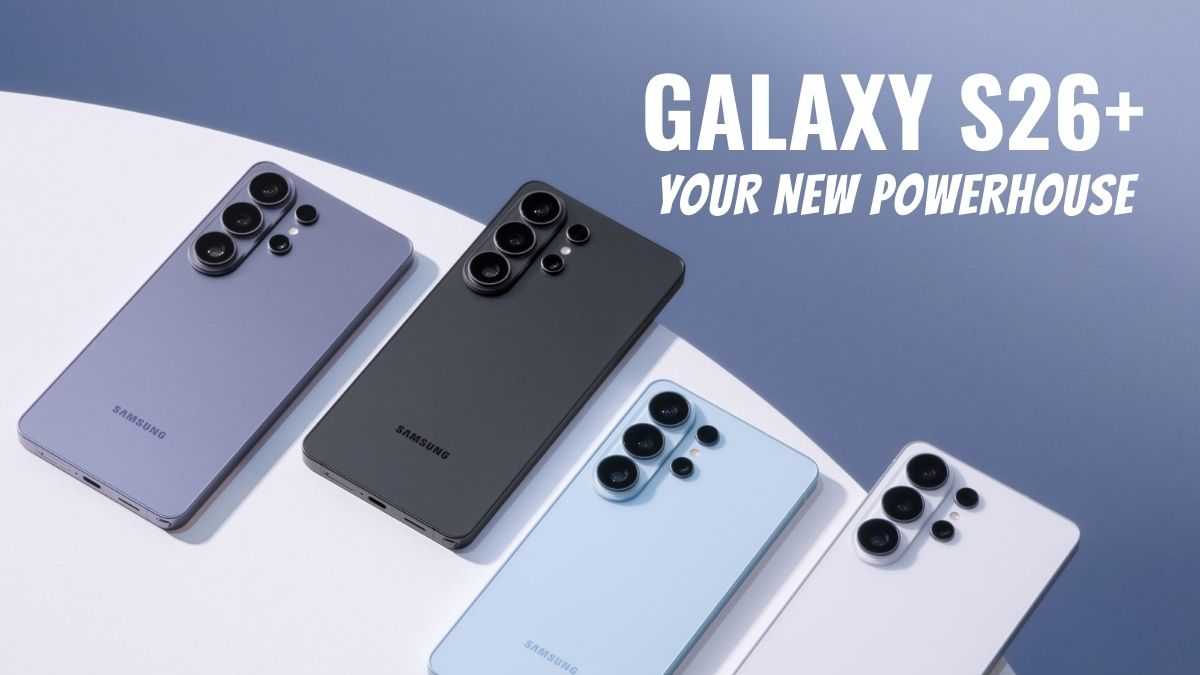
Samsung’s productivity ecosystem was mainly associated with the S-Pen over the years. If you were looking for serious work features, a Galaxy Note or an Ultra model would be the natural option. However, 2026 is altering that story, as new models like the Samsung Galaxy S26 Plus arrive with additional and innovative features that make it the best Android phone..
The features of the Galaxy S26+ tell a different story. Galaxy S26+ is essentially a great link between the standard Galaxy S26 and the high-end Galaxy S26 Ultra, and it discreetly offers the type of performance, battery life, and screen space that professional users nowadays genuinely need. And to everyone’s surprise, it achieves all this without a stylus.
If you are thinking about a Galaxy S26 vs S26+ or even stuck between Galaxy S26, S26+, and S26 Ultra, this breakdown will help you understand why the Plus model might be the real productivity champion in the US market. Here’s everything you need to know:
Understanding the Galaxy S26 Lineup
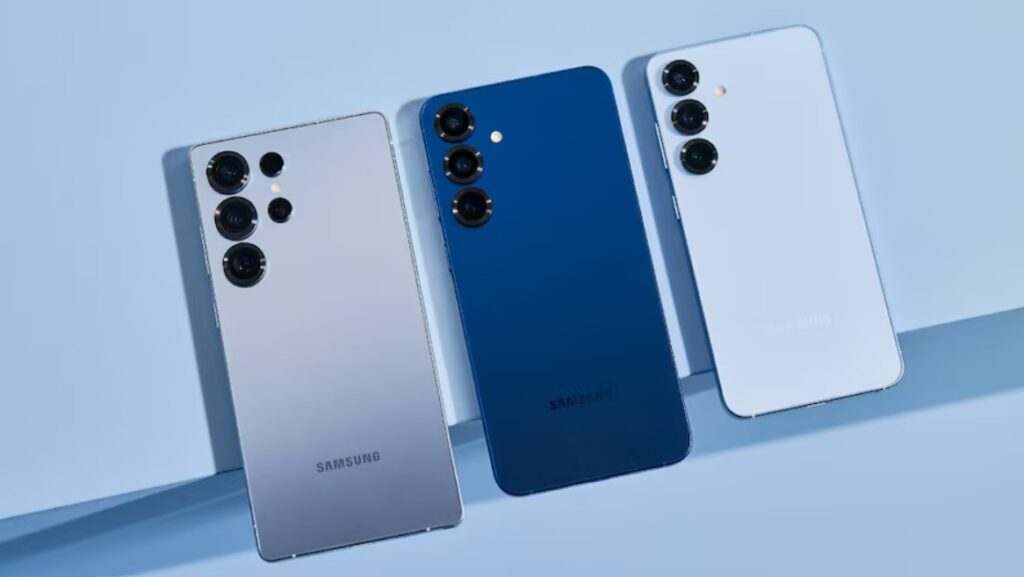
Before diving into the five reasons, it’s important to understand how the S26 family is structured. This will help you better understand the features and differences between the major ones of the Samsung Galaxy S26 lineup:
Galaxy S26 vs S26+: What’s the Real Difference?
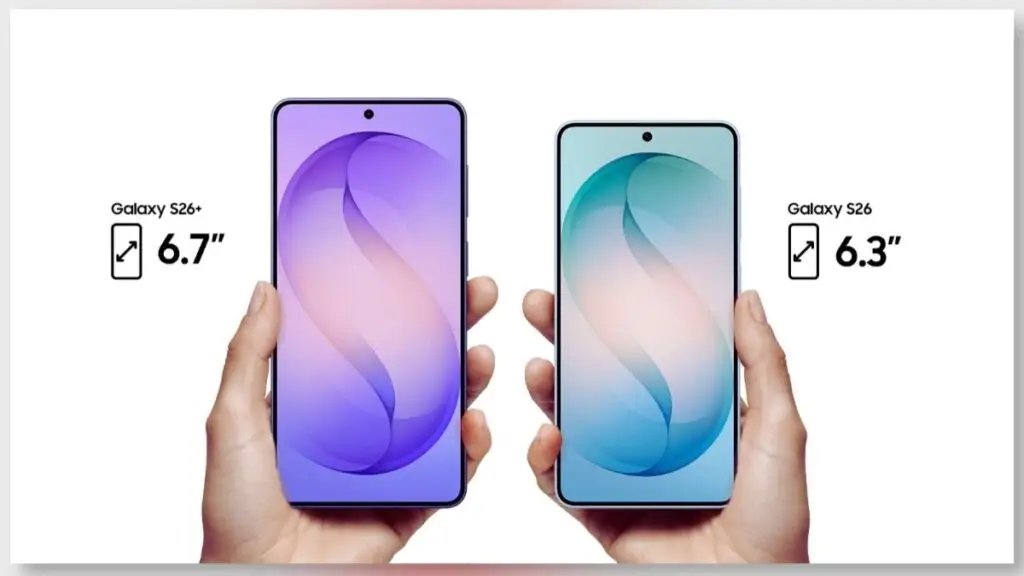
On the surface, it might seem that the Galaxy S26 and S26+ are alike. Each boasts a flagship processor, a premium build, and Samsung’s newest One UI software. Still, the distinctions turn out quite significant when you consider productivity use scenarios. The S26+ usually features:
- A larger display
- A bigger battery
- Slightly higher base RAM configurations
- Faster charging support
Galaxy S26 vs S26+ comparison shows that the Plus version is a perfect fit for users who spend a huge span of time on their phones managing emails, working with spreadsheets, having video meetings, and creating content. The standard Galaxy S26 is a small and mighty device, but the S26+ is not just a phone with great battery life; it is almost like a portable office.
Where the Galaxy S26 Ultra Fits In?
The Galaxy S26 Ultra remains the premium powerhouse with its built-in S-Pen, top-tier camera system, and maximum hardware configuration. However, not every professional needs stylus input or advanced zoom photography. Many US users prioritize:
- Multitasking
- Battery longevity
- Smooth performance
- Larger screen for document handling
That’s where the S26+ quietly becomes the smarter, more balanced choice. All the innovative and next-gen features combine to offer an amazing experience for the users.
Reason #1: Larger, Brighter Display That Multitasks Like a Laptop
One of the most practical Galaxy S26+ features is its expansive display. Productivity is visual. The more you can see at once, the less you need to switch between apps. This additional capacity leads to many advantages for professionals. The S26+ offers:
- A large Dynamic AMOLED panel
- Adaptive refresh rate up to 120Hz
- High brightness for outdoor visibility
- Minimal bezels for maximum usable space
This matters more than many people realize. With split-screen multitasking, you can:
- Attend a Zoom call for half.
- Wireless Earbud connectivity featuring One-Step Instant Pairing.
- Review a Google Doc on the other
- Respond to Slack messages via pop-up windows
For many professionals, that kind of deal replaces the need for an S-Pen entirely. Typing and tapping are faster for most workflows than handwriting notes. If you’re deciding between Galaxy S26 vs S26+, the larger display alone makes the Plus version feel like a more serious and productive work device.
Reason #2: Performance That Handles Real Workloads
Productivity is not defined by benchmarks. It is basically how well a phone can still perform at the end of the day after a whole day of usage. The Galaxy S26+ is equipped with the latest US-optimized Snapdragon chipset (in most regions), alongside a good amount of RAM and smart memory management. This mix guarantees:
- Smooth multitasking
- Minimal app reloads
- Faster file exports
- Stable video conferencing
- Efficient AI processing
In practical terms, that means you can:
- Edit short-form videos
- Work on cloud-based spreadsheets
- Jump between email, browser, and messaging apps
- Run Samsung DeX for desktop-style workflows
What’s more, the Plus variant of the Galaxy S26 tends to be less prone to overheating and performance drops over longer usage periods, especially when juggling multiple background apps. And while the Galaxy S26 Ultra may present slightly higher specs, the practical difference for productivity tasks is negligible for the majority of users. The S26+ offers top-tier power without going into the Ultra price range.
Reason #3: All-Day Battery That Actually Lasts
One of the most underrated Galaxy S26+ features is battery capacity. And for productivity, battery life might matter more than stylus support. The S26+ generally offers a larger battery than the standard Galaxy S26. That extra capacity translates to:
- Longer screen-on time
- Less anxiety during travel
- Fewer mid-day charging breaks
- More reliable hotspot usage
For US professionals who commute, travel between meetings, or work remotely from coffee shops, endurance is critical. The S26+ also supports fast charging, which means:
- A quick top-up during lunch can restore hours of usage.
- You’re less dependent on carrying power banks.
While looking at the differences between Galaxy S26, S26+, and S26 Ultra, the Ultra model might have slightly bigger battery capacity. Nevertheless, the S26+ often is the perfect compromise between screen size, efficiency, and battery optimization.
Reason #4: AI and Software Tools That Replace the Need for an S-Pen
The productivity landscape in 2026 is AI-driven. Voice dictation, smart summaries, and automated workflows are taking over handwritten notes. The Galaxy S26+ boasts some high-tech AI features, like:
- Smart email drafting
- Real-time call transcription
- Automatic meeting summaries
- Voice-to-text with improved accuracy
- AI-assisted content suggestions
For many professionals, speaking a note and having it instantly formatted into a clean summary is faster than writing with a stylus. Samsung’s ecosystem integration also enhances productivity:
- Sync with Galaxy Tab devices
- Seamless integration with Windows PCs
- Samsung DeX desktop experience
- Cloud document continuity
So, the S26+ is designed to handle contemporary workflows that mostly depend on typing, voice input, and cross-platform syncing rather than handwriting. Given that, not having an S-Pen isn’t seen as a drawback. It’s seen as something irrelevant to the whole scenario.
Reason #5: The Perfect Balance of Price and Professional Features
When evaluating Galaxy S26 vs S26+, price plays a major role. The S26+ typically costs more than the base model but significantly less than the Galaxy S26 Ultra. Here’s the practical breakdown:
- Galaxy S26: Best for compact phone lovers.
- Galaxy S26+: Best for serious productivity without Ultra pricing.
- Galaxy S26 Ultra: Best for stylus users and advanced photography needs.
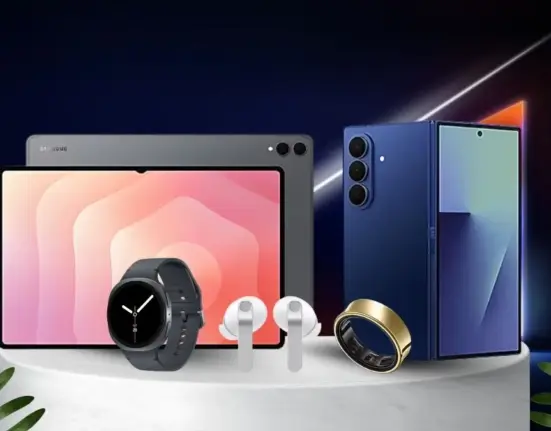
For US buyers, the S26+ often delivers 90% of the Ultra’s productivity capabilities at a noticeably lower cost. The S26 Plus gets even better when you pair it with the wearable ring. It’s a much more low-key way to track your sleep, and those ‘Double Pinch’ gestures are actually super handy for snoozing alarms or grabbing a quick photo without touching your phone. That balance makes it ideal for:
- Remote workers
- College students
- Small business owners
- Corporate professionals
- Content creators
Instead of paying extra for features you may not use, the S26+ invests in what matters most: performance, display size, and battery life.
Who Should Buy the Samsung Galaxy S26 Plus?
If you don’t regularly use a stylus, the S26+ is arguably the most logical choice within the Galaxy S26, S26+, and S26 Ultra lineup. The Galaxy S26+ is perfect for:
- Professionals who live in email and spreadsheets
- Remote workers attending daily video calls
- Students managing research, notes, and presentations
- Creators editing photos and short videos
- Business travelers who need reliable battery life
FAQs
Yes. Its large display, long battery life, and multitasking features make it well-suited for professional workflows.
The Ultra adds S-Pen support and enhanced cameras, but for most productivity tasks, the S26+ performs nearly as well.
Yes, the S26+ supports Samsung DeX, allowing a desktop-like experience when connected to a monitor.
Typically, yes. The S26+ includes a larger battery, offering longer screen time and improved endurance.
Users who rely heavily on stylus input or need advanced camera zoom capabilities may prefer the Galaxy S26 Ultra.
Conclusion
The notion that productivity fully depends on having an S-Pen is already outdated. The main features of the Galaxy S26+ demonstrate that nowadays, work is a matter of super performance, long-lasting battery, multitasking features, and AI-powered efficiency.
Even when making a Galaxy S26 vs S26+ comparison or considering the Galaxy S26, S26+, and S26 Ultra, the Plus model is the right choice for the majority of working professionals in the USA. It makes a perfect balance with an impressive price tag and innovative features.
It offers the working professional the main screen size of a real work device, the power of a flagship, and the battery life to work all day, without the price tag of an Ultra. Actually, for many people who will use it in 2026, the Galaxy S26+ won’t be just a middle ground. It will be the smart one.

Leave feedback about this